Some applications work with files on one computer. Others connect
employees to shared records or equipment. The design depends on the
work being done.
Professional Tools & Editors
Applications for working with documents, files and complex
information in a dedicated desktop workspace.
File operations
Open, validate, search, edit, save and export the agreed file
types.
Working interface
Multiple views, keyboard shortcuts, navigation and suitable undo
or recovery behaviour.
Complex information
Structured tables, comparisons, detailed forms and visual views
designed for the task.
Output
Generate reports, documents or exports, including batch
operations where useful.
Operations Workstations
Give staff a dedicated place to manage daily transactions, records
and operational tasks.
Orders, inventory, customer records, assignments, access
permissions, printing and connections to shared systems.
Data & Reporting Tools
Organize and work with information from files, spreadsheets or
business databases without repeatedly moving it by hand.
Imports and validation, search, filters, edits, calculations,
reconciliations, exports and reports. Supported formats are
defined per project.
Equipment-Connected Applications
Connect a desktop workstation to the equipment people use on site.
Barcode readers, label printers, measurement devices and
compatible USB, serial or network equipment. Device and driver
support must be checked in advance.
Examples & solutions
Try a sample workflow and see the records, calculations and updates it
produces.
These are browser-based simulations with fictional data, not released
desktop applications.
Interactive examples require JavaScript.
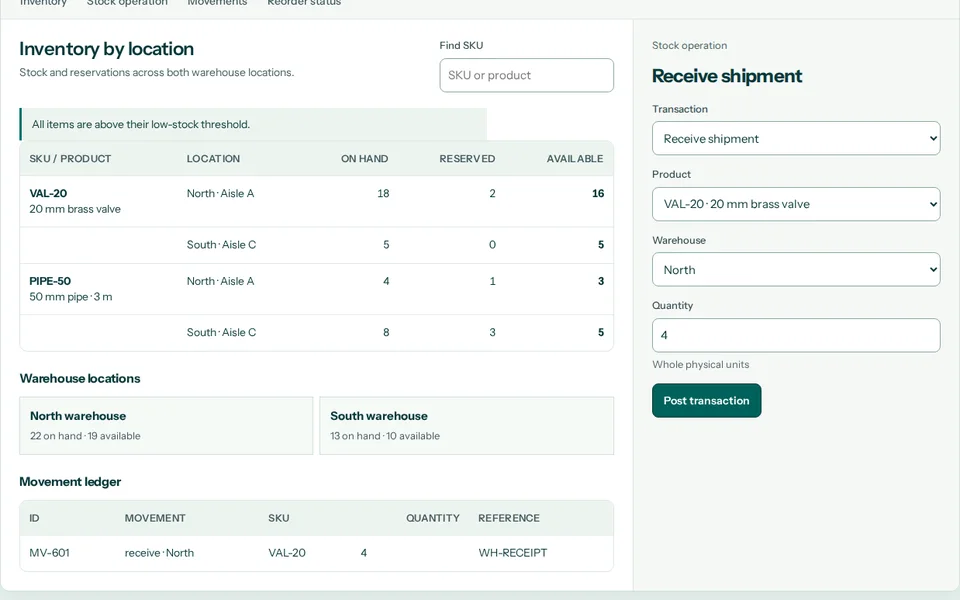
Inventory workstation
Receive stock, transfer it between warehouses and reserve items
for an order. See available quantities, replenishment alerts and
the movement history update together.
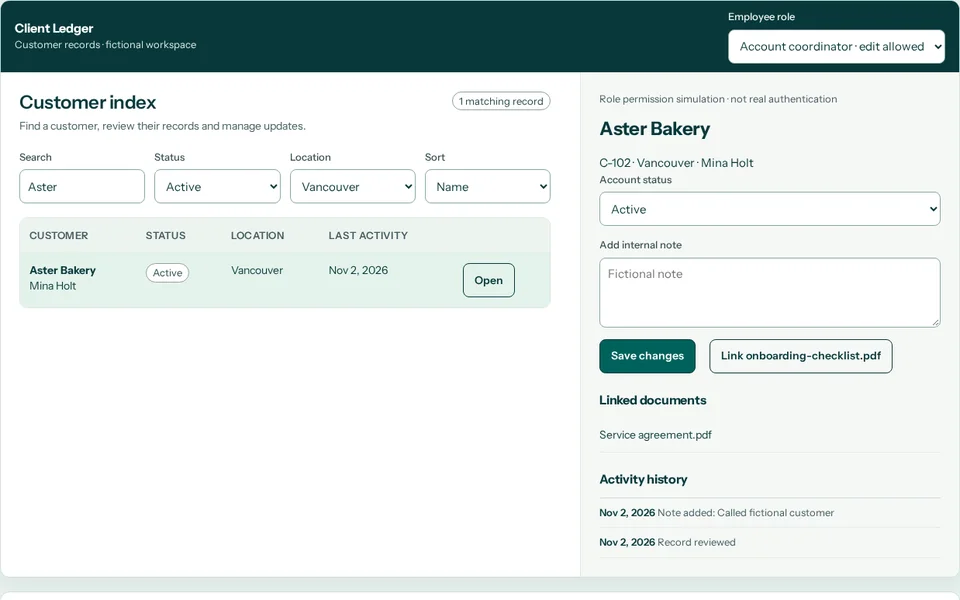
Customer records
Search and filter customer records, update an account and review
documents and activity history. Switch to a read-only role to
see the access restriction.
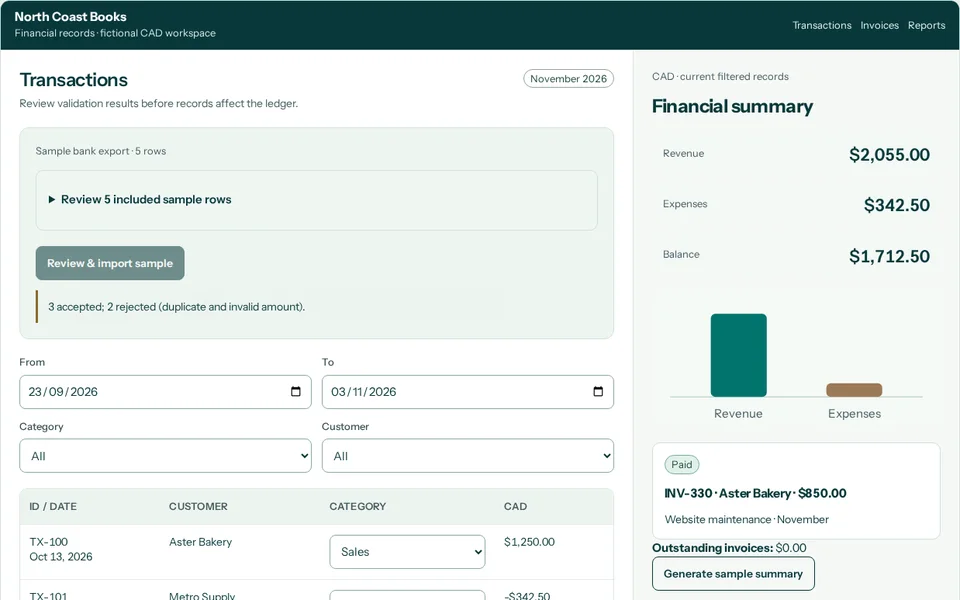
Financial records & reports
Process a fictional spreadsheet import, categorize transactions,
track an outstanding invoice and generate a filtered summary.
A desktop program can keep information on one computer or work with a
shared business system. Where data is stored and how it reaches users
are decided with the project.
Local files & data
The application can work with supported local files or an
on-device database. File formats, storage locations, backup
responsibilities and access permissions are defined for the
intended workflow.
Shared business records
Several workstations can connect to a shared database or API when
teams need the same information. The design covers who can change
records and what happens if edits conflict.
Offline operation
Work without an internet connection can be included when needed.
We define what remains available offline, how changes are stored
and what happens when a connection returns.
Operating systems & equipment
Files, printing, scanners and other equipment depend on the
operating system, permissions, drivers and available interfaces.
Compatibility is checked against the actual target setup.
Windows, macOS and Linux builds each need their own installation and
functional testing where those platforms are in scope.
Project delivery
From requirements to installation
Define the work and environment
We identify the people using the application, their operating
systems, existing files, databases, devices and tasks. The
proposal defines supported platforms, deliverables, exclusions,
milestones and an estimate.
Design the workspace
We plan the main screens, navigation, file operations and
permissions. You review the interface and important workflows
before development continues.
Build and test
We implement the agreed functions and connections, then test key
tasks on the supported operating systems and equipment. Offline
behaviour, imports and error recovery are tested where included.
Package and hand over
We prepare the agreed installation and distribution method and
hand over the contracted code, access and documentation. Update
responsibilities and ongoing support are established before
release.
Ownership, maintenance & costs
Which operating systems will it support?
We agree on the required Windows, macOS or Linux versions and
devices before estimating the work. Each included platform needs a
build and its own testing.
Can the application work offline?
Yes, if the workflow is designed for it. We establish which
information remains local, what needs a connection and how any
later synchronization is handled.
Can it use our existing files, database or equipment?
We review sample file formats, data structures, interfaces,
drivers and access requirements first. Compatibility, migration
and device integration are included only where verified and
agreed.
How will it be installed and updated?
The distribution method depends on the operating system and who
will use it. We agree on installers or packages, any required
signing or publishing accounts, and how future versions will be
delivered.
What affects the cost and schedule?
The work depends on features, platforms, integrations, data
migration, device support, offline requirements and testing. We
prepare a scoped estimate and milestones before development
begins; hosting, licensing and ongoing support are identified
separately where applicable.
What will we own after delivery?
The agreement sets out rights to the developed code, third-party
licensing, access to repositories and documentation, and
maintenance responsibilities. Your business should control its
data and the accounts used to distribute or operate the
application.
Discuss a project
Tell us what people need to do on their computers, which operating
systems they use and any existing files, software or equipment
involved. A technical specification is not required.
Staff cannot reliably see what is on hand, what is reserved
for orders or which warehouse location contains each item.
Manual stock updates lead to mistakes and delays.
Solution
Track receipts, transfers, reservations, dispatches and
replenishment alerts in a shared inventory record with a
movement history.
Problem
Customer details, notes, documents and history are spread
across spreadsheets and files. Staff waste time searching and
cannot always tell which record is current.
Solution
Keep structured customer records in one searchable system,
with custom fields, filters, sorting, linked documents, access
rules and change history.
Problem
A business tracks income, expenses, invoices and payments in
spreadsheets, then spends time validating entries,
consolidating data and preparing up-to-date reports.
Solution
Organize financial records, calculate totals consistently,
track outstanding invoices and produce searchable summaries
and reports without manual recomputation.