Software that manages business records, applies rules and connects
the applications your customers and employees use.
We build APIs, processing services and integrations for new
applications or existing systems. The work starts with the
information that needs to move and the decisions the software must
make.
A booking, order or staff application needs more than a screen.
Information must be checked, saved and made available to the right
people and systems.
Application Backends & APIs
Server-side software that receives requests, applies business
rules and provides information to websites, mobile apps, desktop
tools or other services.
Application interfaces
Define what each application can request, what information it
receives and how invalid requests are reported.
Business rules
Apply agreed rules for bookings, orders, permissions and other
operations in one place rather than separately in every
interface.
Records and consistency
Create, update and retrieve the records the workflow depends on,
while preventing invalid or conflicting changes.
Errors and recovery
Define how timeouts, repeated requests and failures are handled
so staff can identify work that has not completed.
Business System Integrations
Connect accounting, online stores, messaging providers and
existing business applications through their available interfaces.
Data mapping, validation, synchronization, integration permissions
and handling failed or repeated updates.
Automation & Notifications
Run agreed work when an event occurs or a scheduled task becomes
due, without requiring an employee to keep a page open.
Reminders, status notifications, file processing, scheduled tasks
and records of what ran or failed.
Data Processing & Reporting
Bring information into a usable structure, check incoming records
and produce reports from consistent data.
Spreadsheet imports, validation, reconciliation, searches, exports
and reporting workflows.
Accounts & Access Control
Control which customers, employees and connected services can see
or change particular information.
Account access, role permissions, sessions, service credentials
and administrative controls appropriate to the application.
Examples & solutions
See how information reaches a business system, is checked and produces
a visible result.
These browser-based simulations use fictional data. No real APIs,
messages, accounts or external services are connected.
Interactive examples require JavaScript.
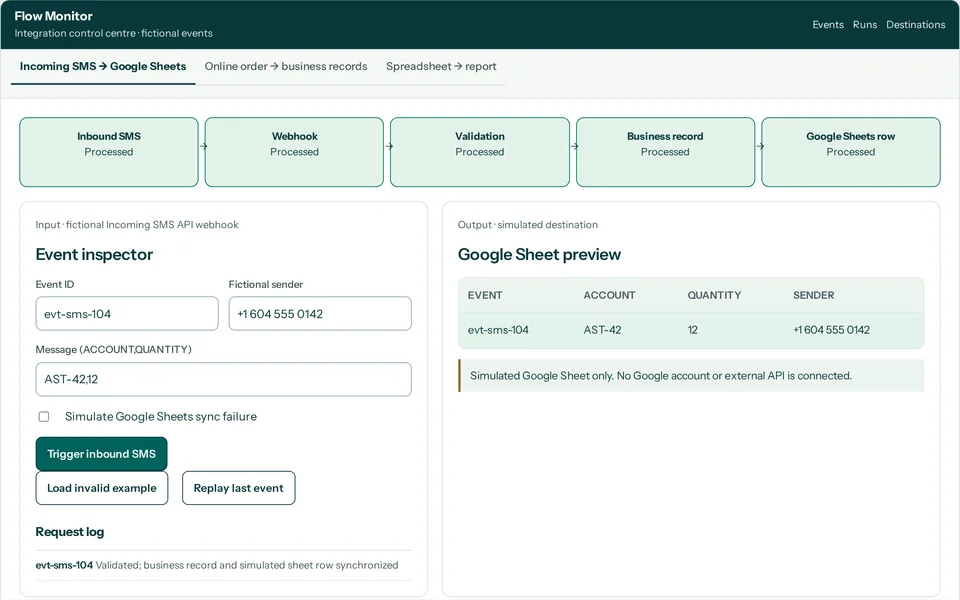
Business integrations & automation
Trigger a fictional incoming SMS event, validate it and see a
matching row appear in a simulated Google Sheet. Try a failed
synchronization, retry it and replay the event to see duplicate
handling.
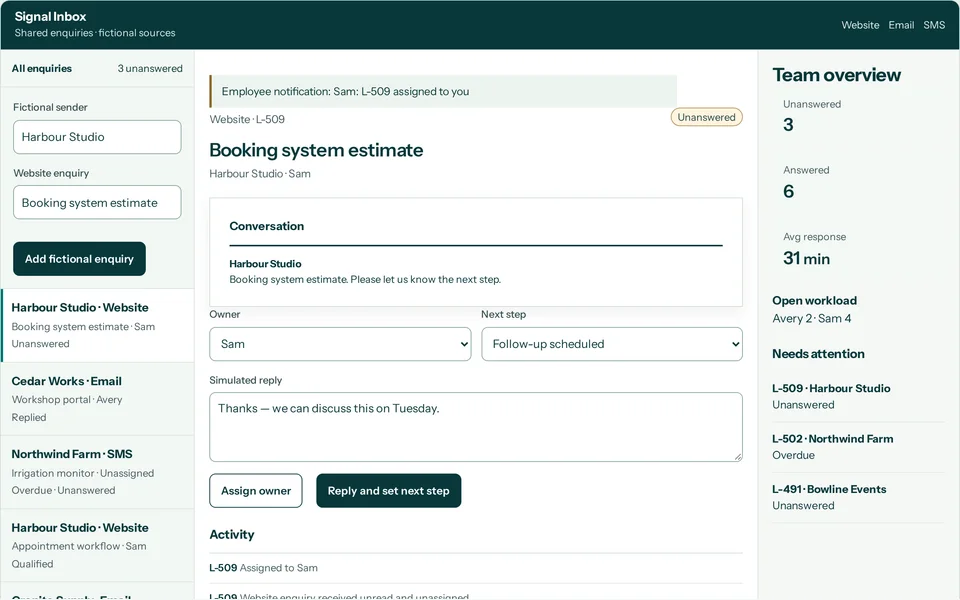
Enquiry routing & follow-up
Add an enquiry, assign it to an employee and record a reply. See
unanswered requests, activity and workload figures update.
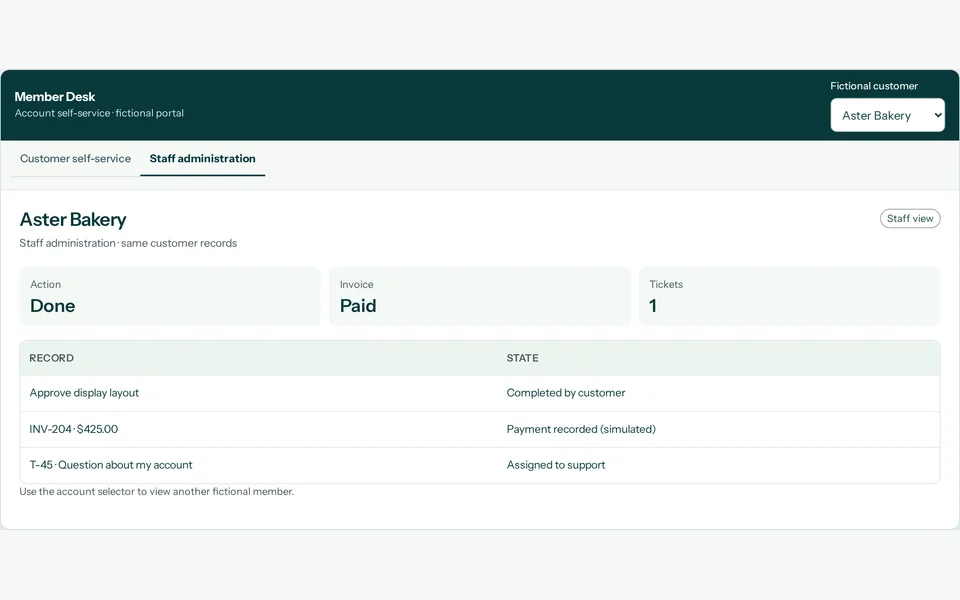
Customer account records
Complete an account action, record a sample invoice payment or
create a support ticket. Switch to the staff view to see the
related record change.
A backend receives information, checks whether the request is allowed,
applies the rules and saves or forwards the result. What happens when
a request fails matters just as much as what happens when it succeeds.
Requests & permissions
A website, app or permitted external system sends a request. The
service checks the input and the access allowed to that user or
system before changing records.
Rules & records
Business rules decide what happens next: reserve a time, update
stock, create an order or assign work. Related records must remain
consistent when changes succeed or fail.
Integrations & background tasks
The system can exchange information with external services,
prepare notifications or run scheduled jobs. Timeouts, duplicate
events and retries need explicit handling.
Deployment & operations
Hosting, configuration, logs, backups, recovery and updates are
planned for the required workload and the people who will operate
the system.
Integration feasibility depends on the other provider's APIs,
permissions, terms and available data. Those limits are checked before
the work is committed to a project scope.
Project delivery
From requirements to a working service
Map the work and existing systems
We establish which applications and people are involved, what
information needs to move, who controls the existing systems and
where manual work or errors occur. The proposal identifies the
scope, dependencies, exclusions, estimate and milestones.
Define rules and interfaces
We agree the data, expected behaviour, access permissions and
interfaces to other systems. Important error cases and acceptance
criteria are defined before implementation.
Develop and verify
We implement the agreed services and integrations, then test
successful operations, invalid input, permissions, repeated
requests, service failures and recovery paths relevant to the
project.
Deploy and hand over
We deploy to the agreed environment and hand over contracted
source code, documentation and access. Monitoring, backups,
updates and ongoing support responsibilities are specified rather
than left implicit.
Ownership, maintenance & costs
Can it work with software we already use?
Often, if those products provide usable APIs, files or other
supported interfaces. We first check what access is available,
which records can be exchanged and any provider restrictions or
charges.
Can it run without a website or mobile app?
Yes. A server-side service can process information, run scheduled
work or provide an API without a public-facing application. Its
administrative access and operation still need to be defined.
Do we need a new database or hosting provider?
Not necessarily. We assess the current environment, data
requirements, access and operational needs before deciding whether
existing services can be reused or new ones are required.
How are data and access protected?
Authentication, permissions, transport security, secret handling,
data retention and backups are defined for the information
involved. Any regulatory or contractual requirements must be
identified in the project scope.
What if a connected service is unavailable?
The workflow should define which changes can wait, how failures
are recorded, when retries are appropriate and when a person must
intervene. A third-party service's availability cannot be
guaranteed by GeeGems.
What affects cost and schedule?
The number of systems, data quality, business rules, access
restrictions, reliability requirements, testing and migration work
determine the estimate. Development costs are distinguished from
hosting, external services and ongoing maintenance.
Who controls the system after delivery?
Production accounts and business data should be under the client's
control. The agreement specifies source-code rights, third-party
licences, credentials, documentation, monitoring, updates and
support arrangements.
Discuss a project
Tell us which applications you use, what information needs to move
between them and which tasks currently require manual work. You do
not need an API specification or database design to get started.
Staff repeatedly copy information among SMS services,
spreadsheets, stores and internal software. Manual handoffs
cause omissions, duplicate records and slow reporting.
Solution
Connect systems through APIs and scripted workflows that
receive events, validate data, synchronize records, handle
failures and make processing visible to staff.
Problem
Enquiries arrive through website forms, email and other
channels. Teams lose track of who should respond, which
enquiries are unanswered and how work is progressing.
Solution
Bring enquiries into one queue, assign ownership, track
replies and follow-ups, and calculate activity and workload
reports automatically.
Problem
Customers repeatedly contact staff to check request status,
obtain documents, manage memberships, view account-specific
inventory, pay tailored invoices or raise support issues.
Solution
Give each customer a secure, account-specific self-service
experience while employees manage memberships, outstanding
actions, invoices and support centrally.